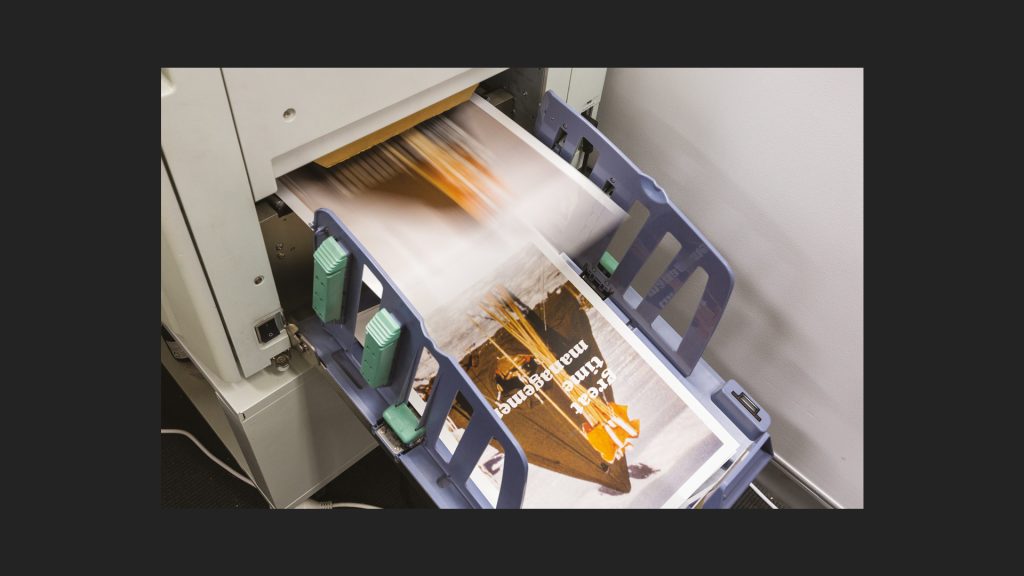
The term ‘digital printing’ is a generic name applied to processes whereby an image is printed directly from a digital source onto the media, without an intermediary process (such as pre-press or platemaking). This equates to very low initial set up costs and quick turnaround times. Consumables however, tend to be expensive—hence digital printing is generally used for short-run
over long-run volumes. The two main forms of ‘digital printing’—Laser (dry and wet toner) and Inkjet— have different strengths and weaknesses.
Dry & Wet Toner Printing (Laser-Printing)
Commercial toner-based print systems work on the same principles as their smaller office or home-level cousins, but offer more features with higher print quality and faster run speeds. These commercial systems often include inline binding systems that collate, fold and saddle stitch booklets straight off the end of the press. Toner-based print systems use either Dry or Wet liquid toner
to carry the colour pigment—with the former being by far the more common.
Dry Toner Processes (DTP) use a fine electro-statically charged coloured powder which is fused or melted onto the paper surface. This creates a different look to ink-based print methods such as Offset Lithography, where the pigment soaks into the paper. By comparison, Wet-toner processes (such as the HewlettPackard HP Indigo system) use a liquid to carry the pigment which is transferred onto the paper via a transfer blanket in a similar manner to Offset Lithography— but without the need for printing plates. The resulting print quality from this type of system is practically identical to Offset Lithography.
Both Dry or Wet toner processes are CMYK based—but some systems offer additional ‘Specials’ such as white, metallics (such as gold or silver), fluoro colours (such as highlighter pink, green or red) and sometimes varnish finishes. There is no common standard for these Specials so these do vary from systemto-system. If you are thinking of using digital specials—ask your printer what
their system can produce.
Variable Data
Another feature of some high-level systems is the ability to use variable data. Variable data allows customisable or changeable content per print. A common example is adding the names of addressees. This data is uploaded into the system from a spreadsheet and changes per printed copy.
Paper Size
Most toner-based print systems are sheet-fed and predominantly have a maximum print area matching a common pre-cut paper size such as SRA3, A3 or A4 (although some systems can print larger sheets). Note, web-fed digital systems do exist—some HP Indigo systems print from a continuous roll, but this is not common. It is important to note that not all grades of paper or print substrates are suitable for digital printing (including HP Indigo printing). Suitable paper and print substrates supplied by BJ Ball (NZ) / Ball & Doggett (AU) are identified by the DTP symbol or HP symbol (for HP Indigo systems).
The main advantages of toner-based printing over Inkjet-systems — are speed and the capacity for inline binding. Toner-based printing is significantly better suited for producing documents, booklets and flyers. The main disadvantage compared to inkjet is the limit on sheet size—which is why inkjet is used for large format printing.

Dry Toner Printing
What happens inside a dry-toner printer? Using a mono (black & white) printer as an example:
- The process begins with a charge roller passing a negative electro-charge to the image drum.
- A laser transfers the image data via a mirror, striking the image drum to create a positive electro-static version of image.
- Toner, in the form of fine dry powder, passes from a cartridge (not shown) to the developer roller. During this process, the toner is negatively charged. As the developer roller spins, a doctoring blade evens the toner.
- The negative charged toner on the developer roller is attracted to the positive charged area on the image drum (and repelled from the negative non-image area) and transfers across.
- Sheets of paper pass between the image drum and a transfer roller. The transfer roller applies a slight electrical charge which causes the toner on the image drum to jump onto the paper.
- The paper with the powdered toner passes into a fuser unit which melts the toner to the paper (this is why drytoner printed material is warm when it is printed).
- The image drum passes a second doctoring blade (not shown) which wipes away any residual toner ready for the next transfer. And the process starts again.
In a colour dry-toner printer, there is a separate image drum for each of the four process colours (plus any specials). The toner is transferred sequentially to a blanket first. This blanket acts as an intermediary, collecting all the toner, then transferring this to the paper in one go—before it passes into the fuser.
Dry Toner (DTP) Laser Press

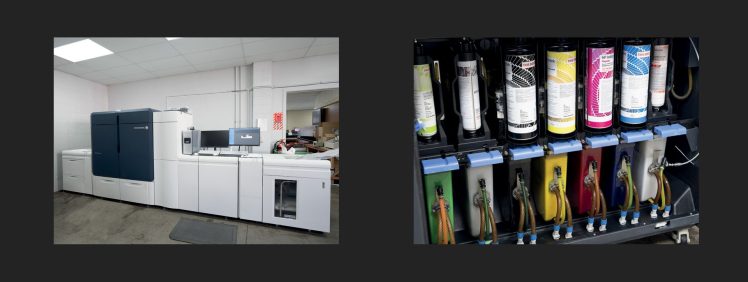
The above Fuji Iridesse six colour dry-toner press fundamentally works in the same way as smaller officebased laser printers—just larger, faster, and more capable. This press runs Cyan, Magenta, Yellow and Key-Black (CMYK)—you can see the toner cartridges in the bottom photo—plus can run two digital specials by changing out the cartridges on the left. This particular system can run white, metallic silver or gold, fluoro colours, plus a highbuild gloss which creates a raised clear surface similar in appearance to a Spot UV but with more depth
Inkjet Printing
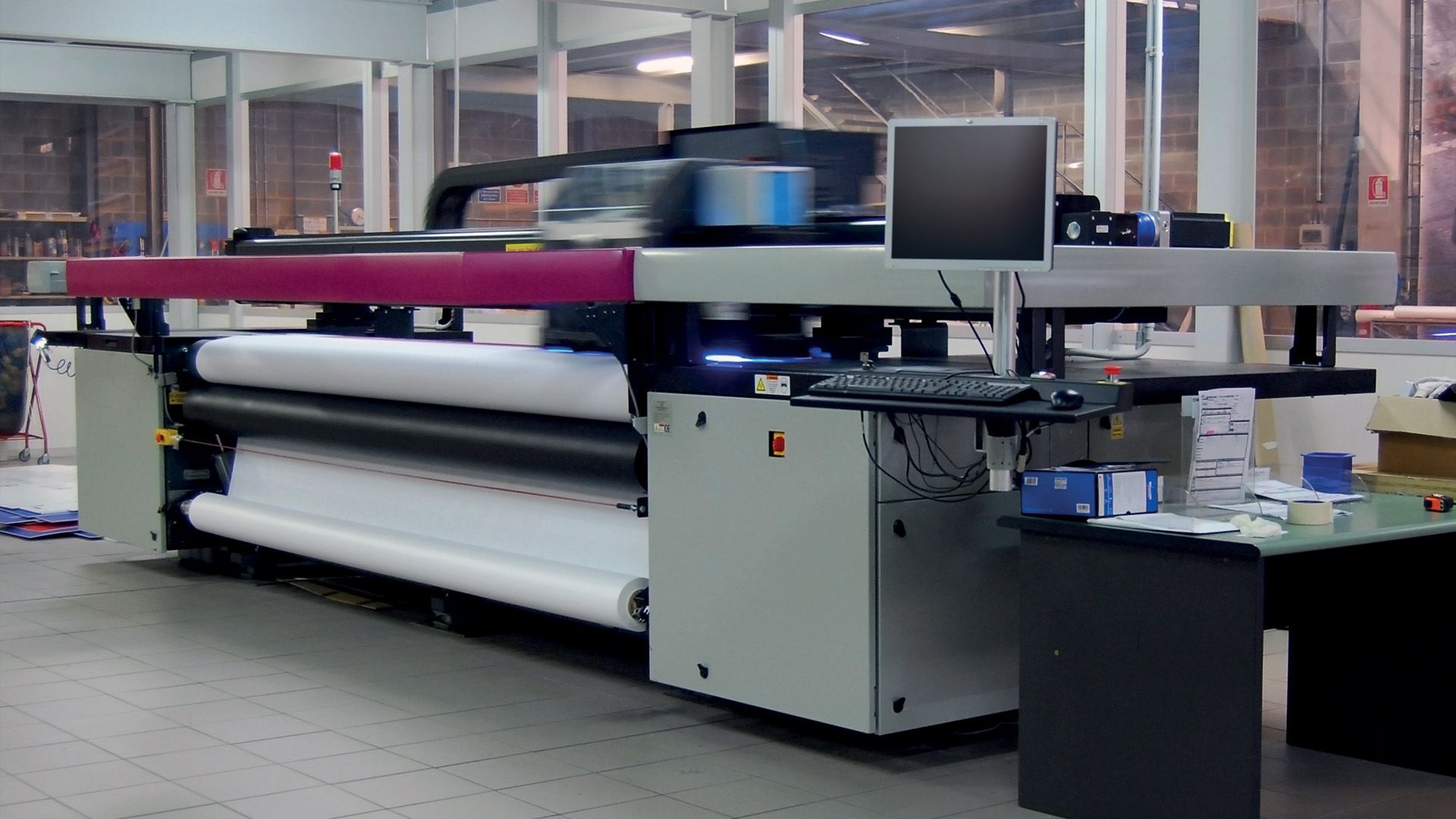
Home and small office CMYK-based, A4 sheet-fed inkjet printers became very popular in the early 2000s and are still available today. Commercial Inkjet print systems work on the same basic principles as their smaller cousins—with the telling difference being size. Commercially, inkjet is primarily used for wide- or large-format printing. These wide-format systems can print on many types of substrate including paper, synthetics and canvas—some systems can even print onto non-flexible surfaces such as wood or metal. Wide-format printers produce huge images—sometimes many metres in size. Common uses include producing billboard skins, outdoor graphics, signage, expo/fitout graphics, bus-back advertising and vehicle wraps.
Inkjet digital printers use a motorised inkjet unit that moves across the paper depositing tiny drops of liquid ink directly onto the surface—the resulting image quality and colour can be extraordinary, but the print reproduction time is significantly slower than toner-based printing—hence why inkjet is not commonly used for producing booklets and documents. Most Inkjet
systems are CMYK-based, often supplemented with boosting colours to expand the printable spectrum
Large Format Inkjet Printing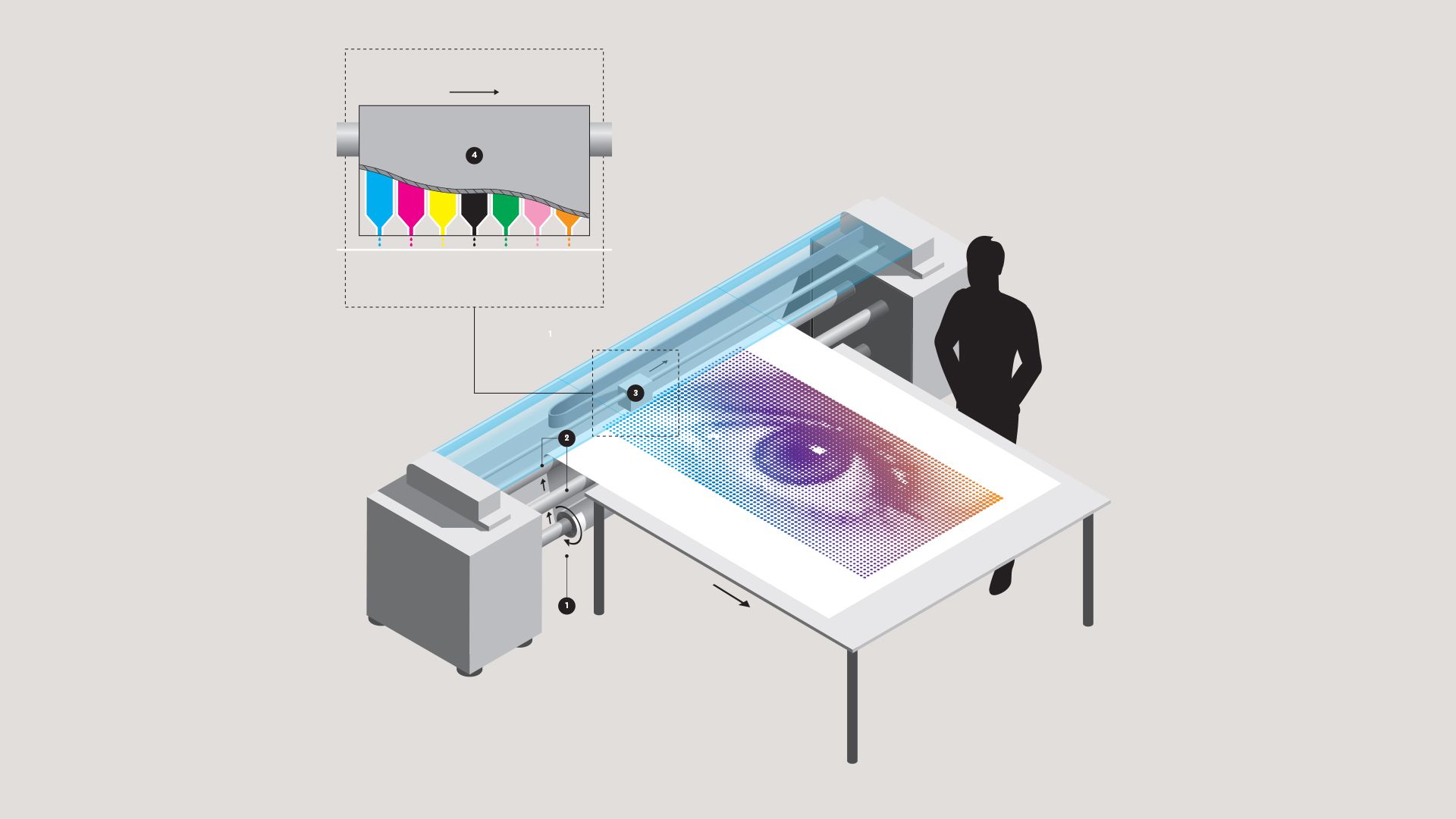
Large format Inkjet Printers are very similar in principle to their desktop home-office cousins—just a lot bigger:
- A roll of substrate (could be paper, canvas or a host of other soft materials) is loaded on a supply roller. Some inkjet printers can also print on non-flexible materials (such as wood, metal or glass), which is fed directly in from the back of the printer.
- As Guide rollers pull the substrate through the press, the inkjet unit moves perpendicular along a tracking rail dispensing ink—you can see the inkjet unit on the tracking rail in the insert photo (far left). The printed paper is either feeds out across a table or back onto another roller as per the main photo.
- The motorised inkjet unit, which is mounted on a guide rail, moves from side to side across the paper as it passes underneath. Ink is dispensed onto the substrate through the print-head which comprises a number of tiny injectors—these injectors are very fine (sometimes thinner than a human hair).
- All colours are printed one after the other in a single pass. Our example is a seven colour inkjet printer comprising Cyan, Magenta, Yellow, Key-Black + Green, light-Magenta (to boost reds) and an Orange. The finished print is then trimmed to the correct size
Risography
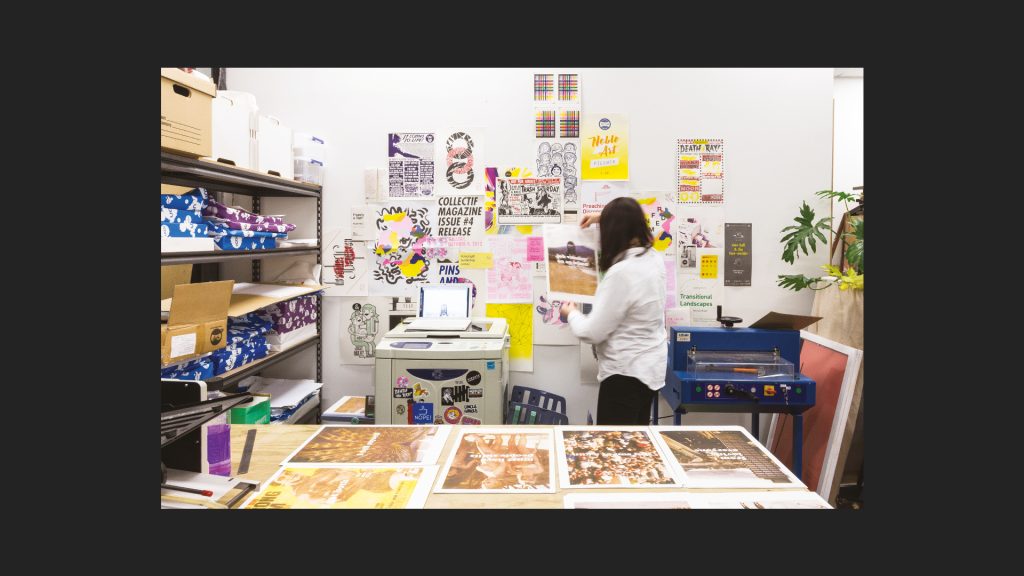 Resembling an old school photocopier, Risography (often abbreviated to Riso) is an early form of digital duplicator, rendered obsolete by the introduction of toner-based printing. However, it has since made a bit of a come-back due to the inherent print characteristics that make it quite distinct from other print processes. Riso is not a CMYK-based process, but instead uses its own distinctly vibrant colour system. And unlike toner-based printing, Riso uses wet ink, not toner.
The process has many inherent quirks, including slight misregistration and an uneven ink coverage—which means every impression is bespoke, no two copies look exactly the same. The resulting look is similar to screen printing. Riso is sometimes referred to as ‘digital screen printing’, and indeed both processes are similar in the idea that ink is forced through a stencil. These days Risography is used mainly for graphic art prints, posters and greeting cards— or where the desired look is to create something distinctly unique and vibrant.
Just note that due to the use of wet ink in Riso, plus the absence of a fusing or heating unit, uncoated papers work much better than coated stocks.
Designing for Riso Printing
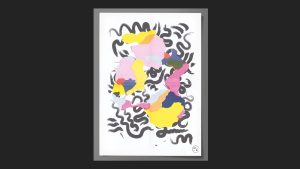
Understanding some of the technical constraints and quirks of Risograph printing will, in turn, yield a better result than trying to print work not created with this process in mind. If you are considering using Risographic printing, the best advice is to contact a specialist Risographic printer early in the process. They can provide guidelines on how to set up artwork and what you need to consider as part of your overall design thinking. Importantly, do not expect Risography to produce clean, matching duplicate copies in the same manner as other methods of digital printing.
Riso Printing: How it Works
What happens inside a Risographic printer? Let’s take a look:
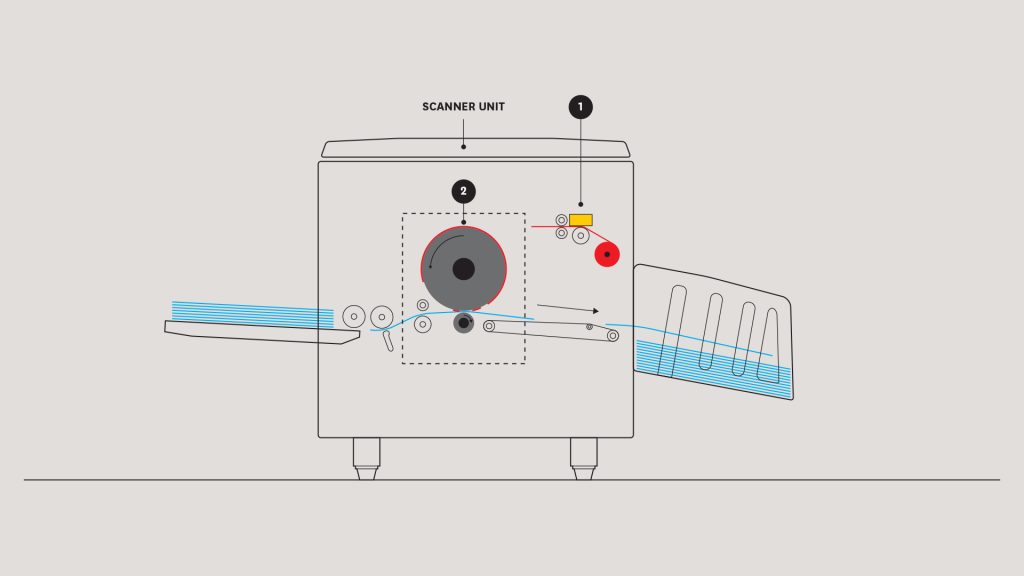
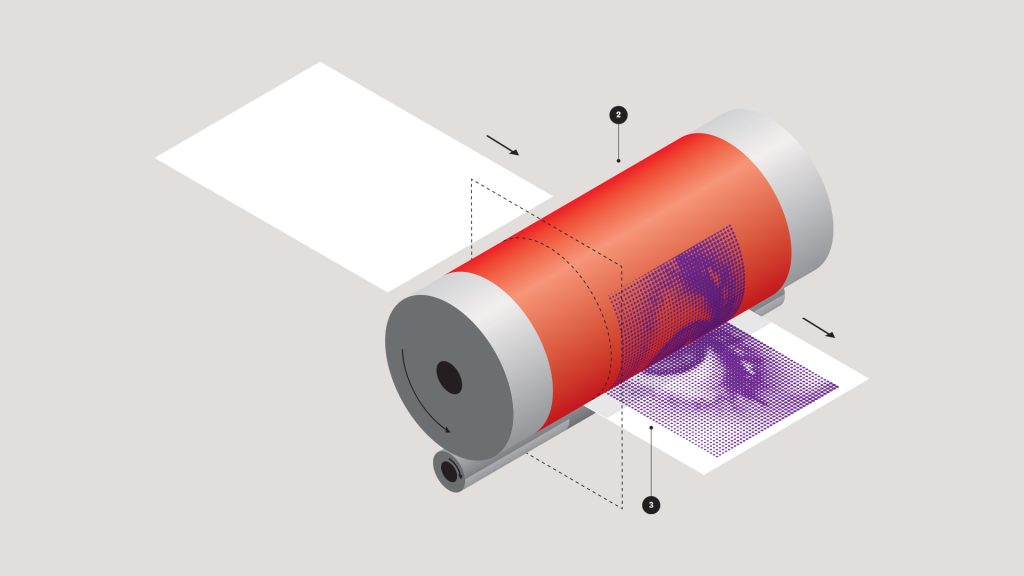
- The machine makes a stencil (called a master) of the artwork image from the source—either a digital file or a scanned image using the inbuilt scanner. The master is made from a roll of special material which is opaque until heated. The material is fed through a thermal unit which uses heat to create a permeable image area on the master.
- The machine then loads the master around the ink drum. Each ink drum contains an ink bottle for the particular colour being printed. In Riso printing, changing to a new colour requires changing the drum over. Note that most Riso printers contain only one or two drums meaning they can only print one or two colours per pass. Printing additional colours requires swapping out the drums and running the printed sheets back through the press.
- As the drum spins—ink is forced through the image area on the master and onto the paper. At a basic level, the master works in a similar way to a silk-screen in screen printing—opaque areas block the ink, nonopaque areas allow ink to pass.